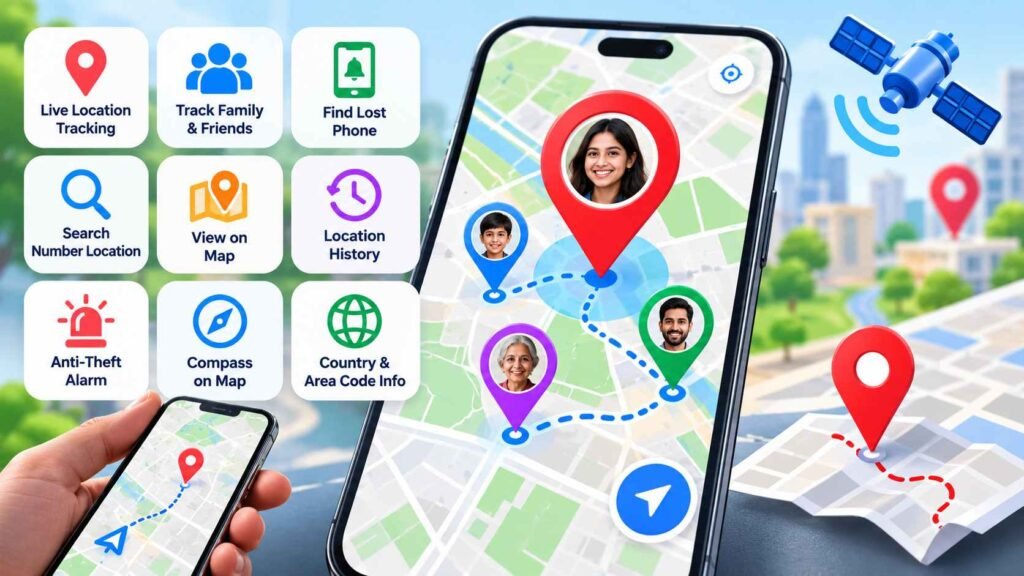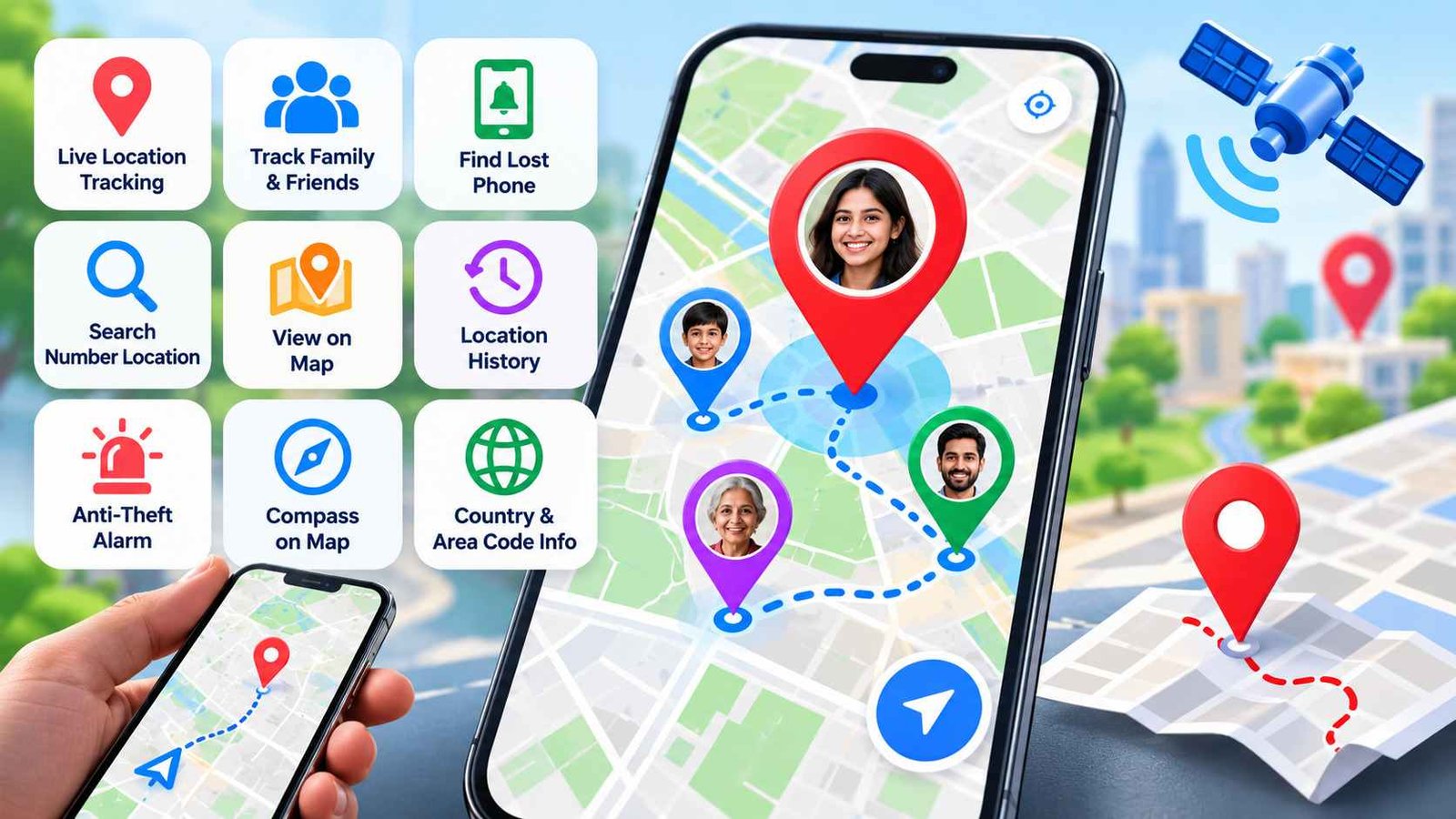
A Mobile Number Location Tracker app is designed to help users find connected phones, share live GPS locations, coordinate with family members and, in some cases, look up regional information linked to phone numbers.
One example is Mobile Number Location Tracker, published on Google Play by Cell location Tracker : GPS Phone Number Locator. The current listing describes it as a GPS phone tracker and family locator app with live location sharing, phone-finding tools and number-location features.
The most important thing to understand is this:
Entering a phone number does not automatically reveal someone’s exact live GPS location.
Precise real-time tracking generally requires the other device to be connected through the app and to grant location permission. The current Play description itself says secure real-time sharing requires users to install the app and participate in the location-sharing process.
Quick Answer
A Mobile Number Location Tracker app can combine several different functions:
- live GPS sharing,
- family and friend location sharing,
- lost-phone location tools,
- map viewing,
- location history,
- country and area-code lookup,
- phone-number origin lookup,
- contact-based location requests,
- compass/navigation tools,
- and anti-theft features.
These features should not all be confused with one another.
Live GPS tracking can show a connected device’s current position.
Phone-number lookup usually gives regional or numbering information and should not be assumed to reveal a person’s exact physical location.
That distinction matters for both accuracy and privacy.
Table of Contents
What Does Mobile Number Location Tracker Actually Do?
The app combines GPS location-sharing functions with phone-number information tools.
According to the current Google Play listing, the app is intended to help users:
- locate connected devices,
- share live locations,
- monitor family or friends who participate,
- search number-related location information,
- view locations on a map,
- and use additional phone-safety features.
This makes it more of a multi-purpose location and safety utility than a simple “type a number and find anyone” app.
Can It Track Any Phone Number?
This is the question users should understand most clearly.
There are two very different concepts inside apps like this.
Phone Number Lookup
A number lookup can often identify information such as:
- country code,
- area code,
- network region,
- or likely number origin.
This information comes from telephone numbering systems and databases.
It does not prove the phone is physically located there right now.
For example, someone can keep an old phone number after moving to another city or country.
Live GPS Tracking
Live tracking uses the actual location sensors of a connected smartphone.
For this to work properly, the tracked phone normally needs:
- the app installed,
- location permission enabled,
- internet connectivity,
- GPS or location services available,
- and participation or consent in the sharing setup.
That can provide much more precise information than number lookup.
So users should not confuse “number location” with “device GPS location.”
How Does Live GPS Tracking Work?
A typical live-location workflow looks like this:
- Both users install the app.
- Location permissions are granted.
- One user adds or invites another user.
- The second user accepts or participates.
- Their device provides GPS coordinates to the service.
- The location is displayed on a map.
- Updates continue while the required permissions and connectivity remain available.
The app description emphasizes friend and family tracking and live GPS updates rather than covert tracking.
Does the Other Person Need the App?
For secure real-time location sharing, yes, the app description says users should install the app.
This is an important limitation.
A user should not expect to enter a stranger’s mobile number and instantly see that person moving on a map.
Precise tracking generally depends on the other device actively participating in the location-sharing system.
What Is “Search Number Location”?
This feature is easy to misunderstand.
A number-location search may show information associated with the numbering range, such as:
- country,
- region,
- dialing code,
- or network origin.
That is different from live GPS location.
A phone number registered in one region may be used somewhere completely different.
So a result like “this number belongs to this region” should not be interpreted as:
“this person is standing at this exact point right now.”
What Is “Search Contact Location”?
The app also describes contact-related location functions.
In practical terms, this can mean allowing users to select a contact and then use supported location-sharing or number-information features associated with that contact.
The important privacy point is that having someone in your contacts does not automatically grant access to their GPS position.
Live location still depends on permissions and participation.
Can It Find a Lost Phone?
Potentially, yes, if the device has already been configured for location tracking.
A phone-finding feature usually depends on:
- the app still being installed,
- location permission still being enabled,
- the phone being powered on,
- internet access,
- and the device being able to report its position.
If the lost phone is switched off, offline or has had permissions revoked, the app may only show a previous known location or may not update at all.
What Are the Family Tracking Features?
Family locator functions are intended for users who deliberately connect with trusted people.
Examples include:
- parents and children,
- spouses,
- elderly relatives,
- travel groups,
- or friends meeting in unfamiliar places.
The current Play listing describes live location sharing and family-oriented tracking as core use cases.
These features are most useful when everyone understands that location sharing is active.
What Is Location History?
Location history allows the app to display previously recorded positions or movement information.
This may help users:
- review recent movement,
- confirm where a device was last seen,
- check travel activity,
- or understand a route taken by a connected device.
However, location history is sensitive data.
Users should review:
- how long the history is retained,
- whether it is stored locally or remotely,
- who can view it,
- and whether it can be deleted.
What Phone Safety Features Are Included?
The supplied app description mentions anti-theft and device-safety tools.
These may include functions such as alarms designed to alert the owner when the phone is moved or accessed unexpectedly.
The developer also publishes a separate app under the same Play developer profile that includes stronger anti-theft features such as movement alarms and device-protection tools, which shows that device security is part of this developer’s broader app portfolio.
Users should still verify which specific safety features are present in the current version of Mobile Number Location Tracker before relying on them.
What Is the Compass on Map Feature?
A compass can help show direction while viewing a map.
This is useful when:
- walking toward a shared location,
- navigating in an unfamiliar area,
- meeting another person,
- or checking orientation without switching to another navigation app.
It is a convenience feature rather than a tracking feature.
What Is Country and Area Code Lookup?
This part of the app can help identify telephone numbering information.
For example, users may be able to determine:
- which country a number belongs to,
- which area code it uses,
- or the likely geographic numbering region.
This is useful for unfamiliar international numbers.
But again, numbering information does not equal exact live location.
What Data Does the App Say It Handles?
The current Google Play Data safety section indicates that the app may collect contacts and device or other IDs. It also states that data is encrypted in transit and that data deletion is not available through the Play disclosure shown in the listing.
That means users should read the privacy policy before enabling:
- contacts,
- live location,
- background location,
- or family-tracking features.
Location data is highly sensitive.
A tracker app should receive only the permissions needed for the features you actually intend to use.
Is the App Private and Secure?
The developer describes the service as secure and privacy-conscious, but users should still independently review the actual permissions and Data safety information.
The Play listing currently reports that the app may collect:
- contacts,
- device identifiers,
- and related information.
The listing also says data is encrypted in transit.
Encryption in transit is useful, but it does not answer every privacy question.
Users should also consider:
- who can see their location,
- how long location history is retained,
- whether background tracking is enabled,
- whether contacts are required,
- and how location-sharing relationships are removed.
Does It Work Without Internet?
Live GPS tracking generally requires internet connectivity to send the device’s location to another user.
GPS itself can calculate location without mobile data, but sharing that location remotely usually needs:
- Wi-Fi,
- mobile data,
- or another network connection.
Number-code lookup features may also require online access depending on how the app is implemented.
Does It Work if GPS Is Off?
Precise live location may become unavailable or much less accurate if location services are disabled.
A tracker may sometimes fall back to less precise information, but users should not expect accurate real-time GPS tracking when the device blocks location access.
Why Can Location Accuracy Change?
Even with permission enabled, GPS location is not always perfect.
Accuracy can be affected by:
- being indoors,
- tall buildings,
- weak satellite visibility,
- battery-saving mode,
- poor internet connection,
- device hardware,
- background restrictions,
- or disabled high-accuracy location settings.
A map marker should therefore be treated as a location estimate, not as mathematically exact proof that a person is standing at a particular spot.
What Users Should Check Before Installing
Before using a location-tracking app, check several things.
Location Permissions
Understand whether the app requests:
- location while using the app,
- precise location,
- background location,
- or always-on location access.
Only enable what you need.
Contact Access
If the app asks for your contacts, understand why that permission is required.
Background Battery Use
Continuous location updates may increase battery consumption.
Data Safety
Review the current Google Play Data safety section and privacy policy.
Consent
Use live tracking only with people who understand and agree to the sharing arrangement.
Ads
The current Play listing shows that the app contains ads.
Can It Be Used to Secretly Track Someone?
A legitimate family locator or phone-finding app should not be treated as a covert surveillance tool.
Real-time tracking should involve the other user’s knowledge and the required device permissions.
Trying to monitor someone secretly can create serious privacy and legal issues.
The safer use case is transparent location sharing between trusted people.
Who Is This App Most Useful For?
Families
Parents and family members can voluntarily share locations for coordination and safety.
Travellers
Friends or family members can stay connected while travelling.
People Who Misplace Their Phone
A configured device-location feature may help find a phone.
Groups Meeting in Busy Places
Live location sharing can simplify meetups.
Users Checking Unknown Numbers
Country and area-code lookup may help identify unfamiliar calls.
What Are the Main Limitations?
Users should keep several limitations in mind.
A phone number alone does not automatically reveal exact live GPS location.
The tracked device generally needs to participate in the app’s location-sharing setup.
Tracking quality depends on:
- GPS availability,
- internet connection,
- permission settings,
- battery restrictions,
- and device status.
A switched-off device cannot continuously send live coordinates.
Regional number information may not reflect the phone’s current physical location.
Location history and contact access also create privacy considerations.
Is Mobile Number Location Tracker Worth Trying?
It may be useful if you need a combination of:
- family location sharing,
- phone-finding features,
- map tools,
- location history,
- and phone-number region lookup.
Its strongest use case is consensual GPS sharing between connected devices.
It is less useful if your expectation is to type any phone number and instantly discover the exact real-world position of its owner.
That is not how legitimate GPS tracking works.
Frequently Asked Questions
What is Mobile Number Location Tracker app?
It is an Android app that combines live GPS sharing, family location features, phone-finding tools and phone-number location information.
Can I track someone by entering only their phone number?
You should not expect exact live GPS tracking from a number alone. Precise tracking generally requires the other device to install the app, grant location permission and participate in sharing.
Is the app free?
The current Google Play listing shows the app as available with ads.
Does the app show live location?
Yes, live location tracking is part of the current app description for connected users.
Does the other person need to install the app?
For secure real-time sharing, the developer’s description says users should install the app.
Can it find a lost phone?
It may help locate a configured connected device while the required location and network functions remain available.
Does it collect data?
The current Play Data safety disclosure says the app may collect contacts and device or other IDs, with data encrypted in transit.
Is phone-number location the same as GPS location?
No. Phone-number lookup usually shows numbering-region information, while GPS tracking uses the actual device location.
Final Takeaway
Mobile Number Location Tracker is best understood as a GPS-sharing and phone-safety app with additional phone-number lookup tools.
Its real value comes from connected devices voluntarily sharing GPS location with each other.
The “mobile number location” part should not be mistaken for a system that can secretly reveal anyone’s exact position from a phone number alone.
For users considering the app, the most important things to check are:
- location permissions,
- contact access,
- background tracking,
- privacy settings,
- battery use,
- and whether everyone involved understands that location sharing is active.
Used transparently, an app like this can help families coordinate, locate connected devices and share positions more easily.
Used with unrealistic expectations, it can be confusing because number origin, contact lookup and live GPS tracking are three different things.
Editorial Disclosure
tnai.in publishes independent app explainers, mobile technology guides and informational content.
tnai.in is not affiliated with Google Play, Google, the app developer or any listed brand unless clearly stated.
App names, logos and trademarks belong to their respective owners. Features, permissions, privacy practices and availability may change over time.
Readers should verify important details through the current official Google Play listing and developer privacy information before installing or enabling continuous location sharing.