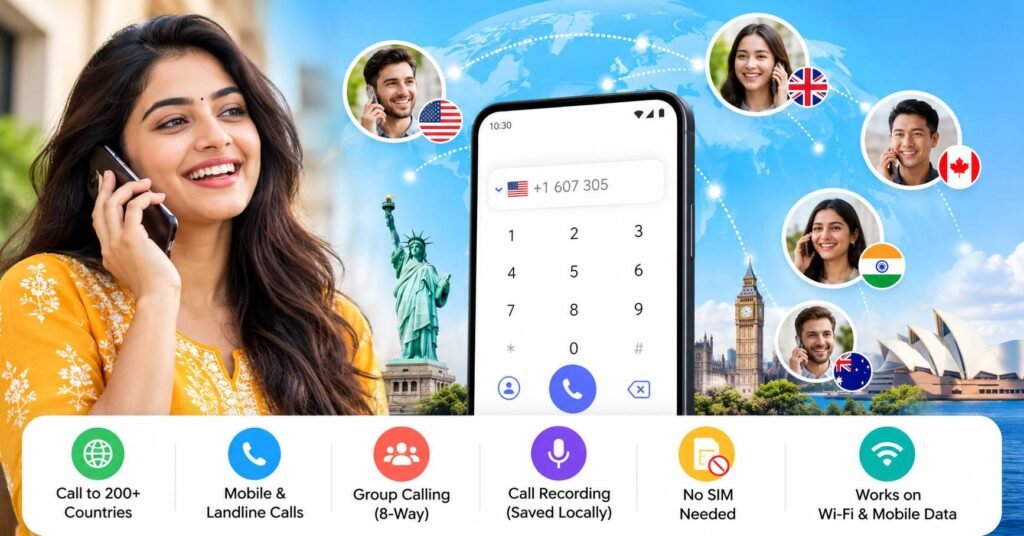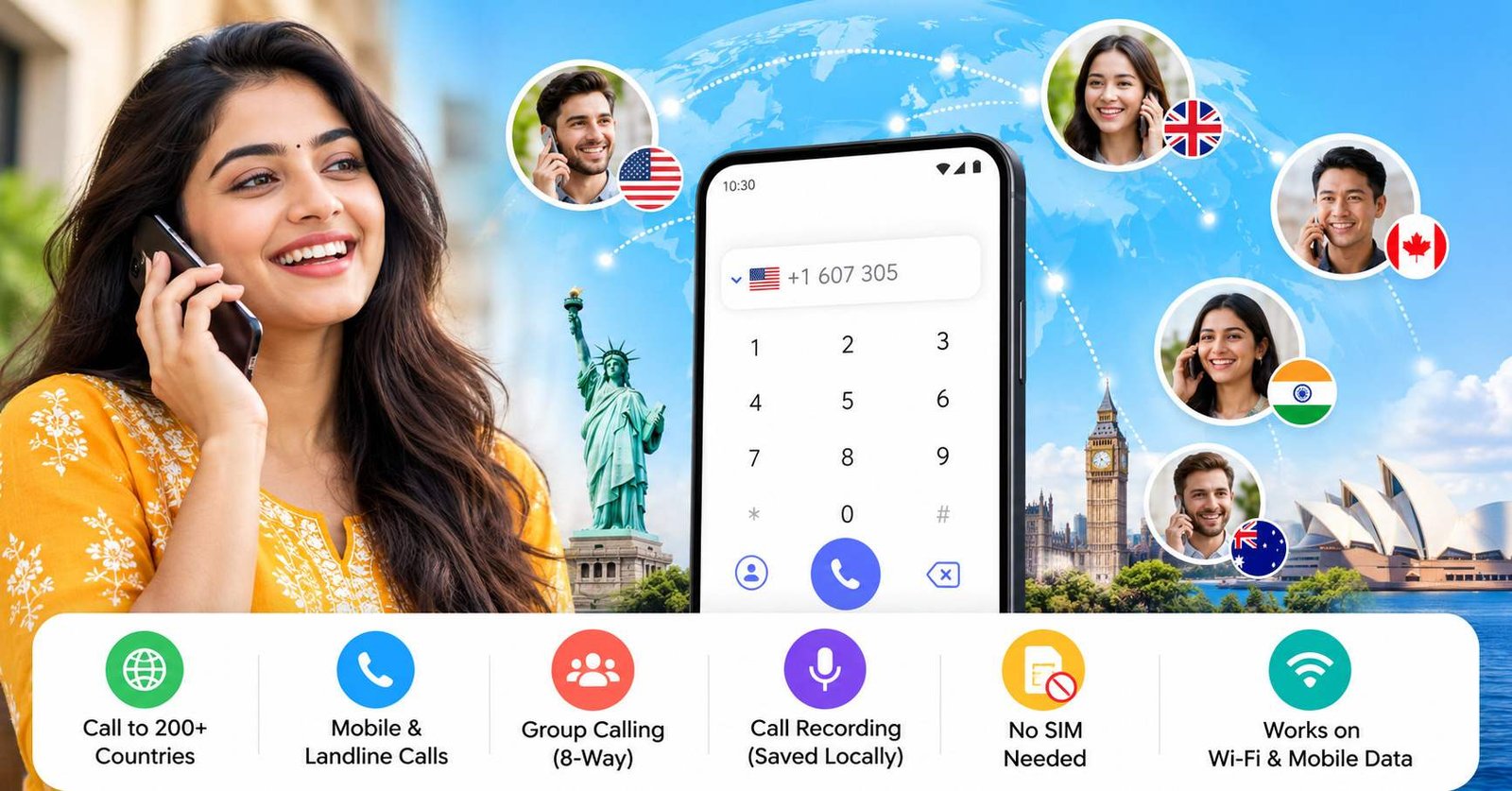
A Global Calling app is an internet-based calling service designed to let you place calls to people in other countries, often including ordinary mobile and landline numbers.
That distinction is important.
Apps such as WhatsApp, Telegram or FaceTime normally work best when both people use the same service. WeCall – Global Calling is positioned differently: the caller uses the app and an internet connection, while the person being called may receive the call through their normal phone number without needing WeCall installed. The developer says its service supports calls to mobile and landline numbers across more than 200 countries.
That sounds simple, but there are several details worth understanding before installing it—especially around pricing, credits, account data and call recording.
Quick Summary
| Question | Practical answer |
|---|---|
| What is WeCall? | An internet-based international calling app |
| Does the receiver need WeCall? | According to the developer, no |
| Does the caller need internet? | Yes, the app uses Wi-Fi or mobile data |
| Can it call normal phone numbers? | The developer says it can call landlines and mobiles |
| Is a SIM card required? | The Play listing says a SIM or phone number is not required for using the app |
| Is WeCall completely free? | Do not assume so; the Play listing shows in-app purchases |
| Are free calls available? | The developer website describes free credits earned through certain activities |
| Does it support call recording? | The Play listing says yes |
| Are recordings uploaded? | The listing says recordings are saved locally |
| Platform checked | Android through Google Play |
The app is currently listed on Google Play under Duo Call Studio, while the developer information section identifies JUS TECHNOLOGY LIMITED.
Table of Contents
What Does “Global Calling” Actually Mean?
“Global calling” is not a special Android technology or a new telephone standard.
In this context, it means the app acts as a bridge between:
your internet connection → the app’s calling infrastructure → the recipient’s telephone network
That explains one of the most useful characteristics of services like WeCall: the other person may not need mobile data, Wi-Fi or the same application.
The developer specifically states that friends or family members do not need the app for you to call their mobile or landline number.
This makes the service potentially useful in situations where a normal app-to-app call is inconvenient.
For example, you might need to call:
- a hotel in another country,
- an overseas landline,
- a family member who does not use messaging apps,
- a business telephone number,
- or someone with unreliable internet access.
That is the part of “global calling” many app descriptions fail to explain clearly.
Is WeCall the Same as a Normal WhatsApp Call?
No.
A WhatsApp call is primarily an app-to-app internet call. Both sides generally participate through WhatsApp.
WeCall describes a different model. You initiate the call through WeCall, but the destination can be an ordinary telephone number.
For the user, the practical difference is:
| Calling method | Caller needs app | Receiver needs same app | Can target ordinary landline/mobile |
|---|---|---|---|
| Typical app-to-app call | Yes | Usually yes | Usually no |
| WeCall-style global calling | Yes | Developer says no | Developer says yes |
This distinction is more important than claims such as “crystal-clear calling,” because it determines whether the app solves a problem that free messaging apps cannot.
Is Global Calling Free?
This deserves a careful answer.
Installing an app for free does not mean every international call is free.
The current Google Play listing for WeCall clearly shows in-app purchases.
At the same time, the developer’s website describes a system where users can obtain free call credits through actions such as watching videos, completing tasks and inviting friends.
So the safest interpretation is:
WeCall may offer ways to obtain calling credit without directly paying for every minute, but users should not assume that unlimited international calling is automatically free with no conditions.
Before making an important call, open the app and check:
- the destination country’s current rate,
- available free credits,
- whether credits expire,
- whether a subscription is being offered,
- the exact amount charged for a call,
- and any renewal conditions attached to purchases.
Pricing mechanisms can change independently of an app-store description.
An Important Detail Users May Miss
There is also an inconsistency across the developer’s public information.
The current Play listing presents WeCall as ad-free, while the developer website still describes earning free call credits by watching videos.
That does not automatically mean anything is wrong. It could reflect different products, older documentation, region-specific behaviour or a changed monetisation model.
But it is exactly why users should verify what their installed version displays rather than relying solely on marketing text.
How Can It Call Someone Who Has No Internet?
This is probably the most interesting part of the service.
Your side of the call still requires internet connectivity. WeCall states that it works over Wi-Fi or cellular data.
The recipient, however, may be reached over a conventional telephone network.
Conceptually, the service converts or routes your internet-originated call into the telephone system at the destination side.
That is why the recipient can potentially answer a normal phone call even without:
- WeCall,
- Wi-Fi,
- mobile data,
- or a smartphone.
This is also why international calling services usually have operating costs and why “free” minutes often depend on promotional credits, advertising, subscriptions or paid balances.
Do You Need a SIM Card or Phone Number?
The Google Play description says WeCall can operate without a SIM card or phone number and can use Wi-Fi or cellular data.
That can be useful on:
- Wi-Fi-only devices,
- travel devices,
- secondary Android phones,
- or phones without an active local SIM.
However, “no SIM required” should not be confused with anonymity.
The developer’s privacy policy says the service generates a unique SIP address for the user and links that identifier to the user’s account to enable calls.
So even if a traditional mobile number is not required for calling, the service still needs technical identifiers to operate.
What Data Does WeCall Use?
This is one area where users should read beyond the short Play Store summary.
Google Play currently says the app may collect personal information, that data is encrypted in transit, and that users can request deletion. The listing also says the developer declares that data is not shared with third parties.
The developer’s privacy policy provides more operational detail.
It says the service may process information including:
- caller and callee account information,
- IP addresses,
- call start time,
- call duration,
- device information,
- operating-system information,
- packet-loss statistics,
- codec information,
- network latency,
- jitter,
- and other technical call-quality metrics.
This is useful context because a statement such as “call recordings stay on your phone” does not necessarily mean that no call-related metadata is processed by the service.
Those are two different privacy questions.
What About Contacts?
The privacy policy says DuoCall may request access to the device’s address book after installation and login.
It also states that the complete contents of the address book are not uploaded or stored on its servers.
Users who do not want to grant contact access should check whether they can manually enter destination numbers instead and whether the feature they need continues to work without that permission.
That is a better privacy decision than approving every permission automatically.
How Does Call Recording Work?
The Google Play listing says WeCall supports recording calls and that recording can be started or stopped during a call. It also says recorded files are saved locally instead of being uploaded to the cloud.
Local storage can be preferable for users who want greater control over their recordings.
However, two separate issues should be considered.
First, anyone with access to your unlocked phone or file storage may potentially access locally stored recordings.
Second, call-recording rules differ between jurisdictions. Users should understand the applicable consent and recording rules before recording another person.
A “record” button inside an app does not by itself determine whether recording a particular conversation is appropriate.
Why Would Someone Use WeCall Instead of Their Mobile Operator?
The app is most relevant when conventional international calling is inconvenient or expensive.
Possible practical use cases include:
Travellers
A traveller connected to hotel or airport Wi-Fi may want to contact a landline in another country without relying entirely on an international roaming voice plan.
Students Living Abroad
Students may need to contact banks, universities, government offices or family members whose numbers are not available through WhatsApp or another messaging service.
Expats
An expat may regularly call relatives who use simple mobile phones rather than internet calling apps.
Remote Workers
A freelancer or remote employee may occasionally need to call an international office or customer telephone number.
People Calling Landlines
This is arguably the strongest use case.
If your destination can already use WhatsApp, Signal, FaceTime or another free internet-calling platform, a separate global calling service may be unnecessary.
But ordinary landline connectivity changes the calculation.
The Receiver Does Not Need the App — But the Caller Still Depends on WeCall
This is an important trade-off that deserves more attention.
The recipient may be reachable through an ordinary number, but your call still depends on WeCall’s infrastructure.
That means call performance may be influenced by more than your own internet speed.
Factors can include:
- your Wi-Fi or mobile-data quality,
- the app’s servers,
- international routing,
- gateway availability,
- the destination telephone network,
- latency,
- and the route selected for that country.
Interestingly, the developer’s privacy policy explicitly mentions collecting network-quality measurements such as packet loss, RTT and jitter.
These are common indicators used to diagnose voice-call quality.
Therefore, when an international internet call sounds poor, simply switching from Wi-Fi to mobile data—or vice versa—can sometimes matter more than reinstalling the app.
8-Way Calling: Useful, But Verify What Is Available in Your Version
The Play listing promotes an eight-way conference calling capability.
That may appeal to:
- families spread across countries,
- small international teams,
- students,
- and group discussions.
However, users should confirm inside the current app whether conference calling is included with their calling plan or credits and whether all participants can join through ordinary telephone numbers.
The store page does not provide enough detail to establish every billing or participation condition.
What Users Should Check Before Installing
The Play Store listing alone should not be the final decision point.
Check these items after installation and before adding money:
- Destination pricing — search for the exact country you want to call.
- Mobile vs landline rates — they may not always cost the same.
- Credit rules — verify how credits are earned, purchased and consumed.
- Subscription renewal — check whether any offer renews automatically.
- Contact permission — grant it only if you need contact integration.
- Recording storage — know where recordings are saved and delete sensitive ones when no longer needed.
- Account deletion — Google Play states deletion can be requested, and the developer also provides a support contact for data requests.
- Test call quality — make a short, low-cost test before relying on the service for an important conversation.
That last point is particularly useful.
International voice quality is destination-dependent. An app that works well for one country or network may perform differently for another.
Limitations and Concerns
WeCall solves a legitimate problem, but it should not be treated as a universal replacement for every calling method.
“Free” can mean credit-based
Users searching for Global Calling free should check the economics inside the app rather than assuming unlimited calling has no conditions.
Destination costs can matter
Calls that terminate on normal phone networks have different economics from app-to-app calls.
Call quality can vary
International routing and the destination carrier can affect quality even when the caller has fast internet.
Privacy is broader than recordings
The app says recordings remain local, but its privacy policy also describes processing call and network metadata.
Store information and developer documentation are not perfectly aligned
The present Play listing advertises an ad-free experience, while the developer website discusses earning credit through watching videos. Users should therefore treat the live in-app pricing and credit screen as the most relevant information for their own account.
Is WeCall Worth Trying?
It could be worth testing if your main requirement is:
calling international landlines or mobile numbers belonging to people who do not use the same internet-calling app as you.
That is where WeCall offers something meaningfully different from normal messenger calls.
It is less compelling if almost everyone you contact already uses a free service such as WhatsApp, FaceTime, Signal or another app-to-app calling platform.
The sensible approach is not to buy a large package immediately.
Install the official version, inspect the current rates for your destination, understand the credit model, make a short test call, and only then decide whether the service fits your calling pattern.
Alternatives to Consider
Different apps solve different parts of the same problem.
WhatsApp or Signal: better when both people already use the same service and have internet access.
FaceTime: useful inside Apple’s ecosystem when both users have compatible Apple devices.
Traditional mobile operator international packs: worth comparing if you frequently call the same destination and your carrier has a predictable international voice package.
Other international calling services: can be useful for ordinary mobile and landline calls, but pricing should be compared destination by destination rather than assuming one provider is universally cheaper.
The correct comparison is therefore not simply:
“Which calling app is free?”
A better question is:
“What is the cheapest and most reliable way to call the exact country and type of number I need?”
Frequently Asked Questions
What is a Global Calling app?
A Global Calling app uses an internet connection to help users place international calls. Some services, including WeCall, are designed to connect to ordinary mobile and landline numbers rather than requiring both participants to use the same app.
Is WeCall – Global Calling free?
The app can be installed through Google Play, but the listing shows in-app purchases. The developer’s website also discusses free call credits obtained through certain activities. Users should check the current pricing and credit system inside the app before assuming that all calls are free.
Does the other person need WeCall?
The developer says no. WeCall is designed to call ordinary landline and mobile numbers, meaning the recipient does not necessarily need the app.
Does WeCall work without a SIM card?
The Google Play description says the service works over Wi-Fi or cellular data and does not require a SIM card or phone number.
Can WeCall record calls?
The Play listing says call recording is supported and that recordings are stored locally rather than uploaded to the cloud. Users should still consider applicable recording-consent rules and protect locally saved files.
Does WeCall collect personal data?
Google Play says the app may collect personal information. The developer’s privacy policy also discusses technical and call-related information such as IP addresses, call duration and network-performance data.
Is WeCall available on iPhone?
The source reviewed for this article is the official Android Google Play listing. Readers looking for an iOS version should verify current availability directly through Apple’s App Store rather than assuming the Android listing also confirms iPhone support.
Should I add money immediately after installing WeCall?
There is little reason to do so before checking the exact rate for the country and number type you plan to call. A short test call can help evaluate quality and understand how credits are deducted before committing to a larger purchase.
Final Takeaway
A Global Calling app such as WeCall is most useful when you need to call an ordinary international mobile or landline number and the recipient cannot—or does not want to—use the same internet calling app.
The important point is that “global calling” and “free app calling” are not the same thing.
WeCall uses your internet connection, can potentially reach people who do not have the app, supports features such as local call recording, and claims coverage across a large number of countries. At the same time, its Google Play listing includes in-app purchases, so users searching for Global Calling free should verify the current credit and pricing model before calling.
For most readers, the best decision process is simple: check the destination rate, review permissions and privacy information, make one short test call, and only then decide whether WeCall offers better value than a messenger app or your mobile operator.
Official Source
Editorial Disclosure
tnai.in publishes independent app news, update explainers, mobile technology guides and informational content.
tnai.in is not affiliated with Google Play, the App Store, Google, Apple, WeCall, Duo Call Studio, JUS TECHNOLOGY LIMITED or any app developer unless clearly stated.
App names, logos, trademarks and brand names belong to their respective owners. This article is based on publicly available information, the official Google Play listing, developer-provided documentation and independent editorial analysis. Features, pricing, availability, permissions and policies may change over time.
Readers should verify important information through the official app-store listing or developer sources before installing, subscribing or making a purchase.