If you search for a 1100 Launcher retro phone, you may expect a simple Android launcher that changes your icons and wallpaper to resemble an old Nokia handset.
Brick 1100: your retro phone goes further than that.
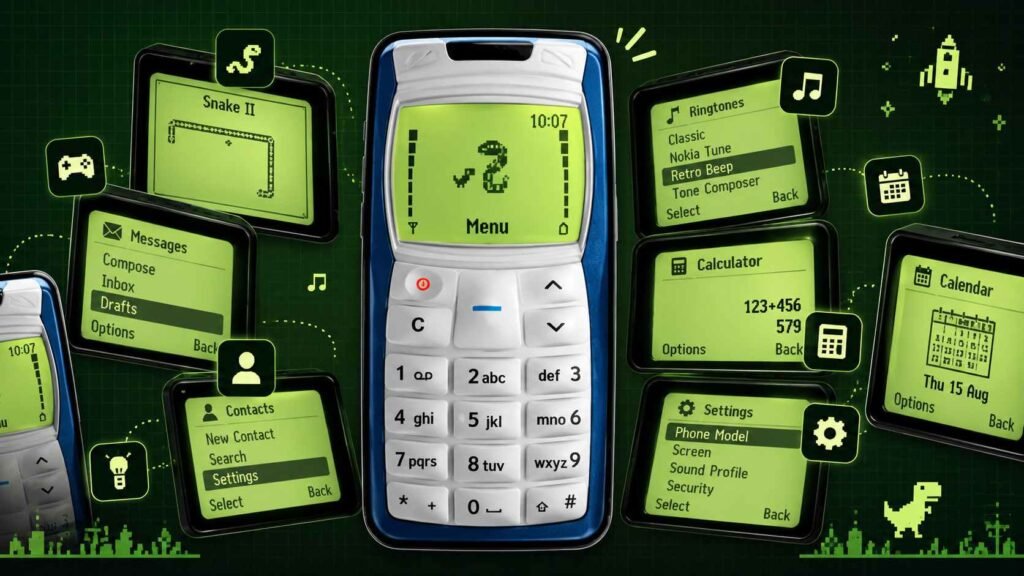
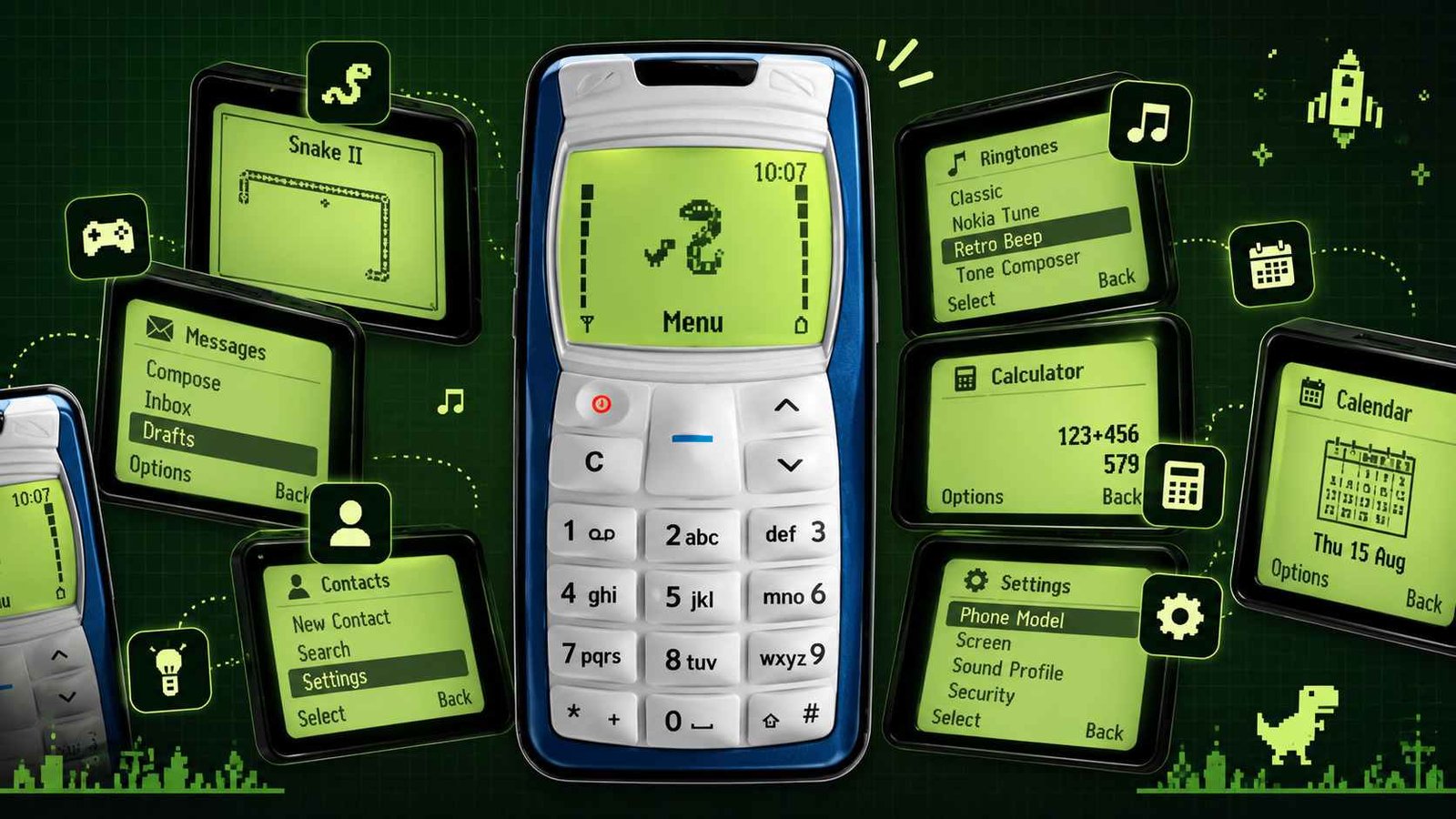
The app is designed to simulate the experience of using a classic brick-style phone inside a modern smartphone. It recreates a monochrome display, physical-keypad style navigation, retro sounds, classic phone menus, games and utilities while still running as a modern Android app.
The developer describes Brick 1100 as an Android and iOS app that simulates classic Nokia-style phones, including models such as the 1100, 3310 and 5110.
Quick Answer
Brick 1100 is not just a wallpaper or icon pack.
It behaves more like a retro phone simulator that places a classic phone interface inside your smartphone.
Users can interact with:
- keypad-style navigation,
- monochrome menus,
- retro ringtones,
- Snake-style games,
- reminders,
- contacts,
- messages,
- calculator and timer tools,
- custom phone models,
- color schemes,
- security options,
- cloud features,
- and community-built apps and games.
The current official documentation also confirms that the app has expanded significantly over time and now includes several modern additions alongside the retro interface.
Table of Contents
Is Brick 1100 Really a Launcher?
This is an important distinction.
The app may be discovered through searches such as “1100 launcher”, but it is better described as a phone simulator or retro interface app rather than a conventional Android launcher.
A traditional Android launcher normally replaces:
- the home screen,
- app drawer,
- icon layout,
- widgets,
- and navigation experience.
Brick 1100 instead recreates a classic phone environment inside the app.
That means users should not necessarily expect their entire Android system to behave like an old Nokia device after installing it.
The experience is more like opening a self-contained retro phone inside your current smartphone.
What Makes Brick 1100 Different From a Simple Theme?
A normal retro theme usually changes the appearance.
Brick 1100 attempts to recreate the interaction model too.
The official documentation says the app simulates elements such as:
- monochrome graphics,
- keypad controls,
- classic ringtones,
- Snake,
- flashlight,
- reminders,
- calculator,
- and other old-phone functions.
That makes the app closer to a functional recreation than a visual skin.
For users who actually remember early Nokia phones, this difference matters.
The nostalgia comes not only from seeing the screen but from navigating menus and entering commands in the old style.
Which Classic Phone Models Are Available?
Brick 1100 is not limited to one device.
The developer currently lists support for multiple classic-style phone models, including:
- Nokia 1100,
- Nokia 3310,
- Nokia 5110,
- and additional models or options depending on the version and premium access.
Users can also adjust visual elements such as the color scheme and carrier name.
This gives the app more replay value than a fixed replica of one phone.
What Is the Main Retro Experience Like?
The app tries to recreate several familiar details from early mobile phones.
These include:
- boot sequence,
- standby screen,
- keypad navigation,
- monochrome interface,
- classic menu structure,
- retro audio,
- old-style ringtones,
- and simple system settings.
The experience is intentionally slower and simpler than modern smartphone interfaces.
That simplicity is part of the appeal.
Modern smartphones are optimized around notifications, feeds, apps and multitasking. Brick 1100 focuses on a smaller, more contained interaction model.
Does Brick 1100 Include Snake?
Yes.
Snake II is one of the app’s major built-in games.
The current official game documentation says Snake II includes more than a basic endless mode. It now offers:
- Classic mode,
- Campaign content,
- maze gameplay,
- and a Daily maze mode.
This is one example of how Brick 1100 mixes nostalgia with features that were not part of the original phones.
What Other Games Are Included?
The current game lineup includes multiple retro and casual games.
Examples listed by the developer include:
- Snake II,
- Space Impact+,
- Brick Breaker,
- Chrome Dino,
- Wordee,
- Monogram,
- Rapid Roll,
- and Tappy Duck.
Some of these directly reference classic mobile gaming, while others are newer additions designed to fit inside the same retro interface.
What Changed in the Latest Version?
The developer’s current changelog lists version 1.6.0, released September 30, 2026.
This update added or improved several areas.
Notable changes include:
- improved fonts,
- broader language support,
- predictive input support,
- more game improvements,
- Snake maze modes,
- Brick Breaker levels and mechanics,
- daily challenges,
- daily streaks,
- statistics,
- achievements,
- and daily reminder settings.
This matters because Brick 1100 is clearly still being actively expanded rather than being a one-time nostalgia project.
Does It Support Multiple Languages?
Yes.
The latest official changelog says version 1.6.0 added support for several additional languages, including:
- Russian,
- Turkish,
- Vietnamese,
- Polish,
- Ukrainian,
- Romanian,
- Hungarian,
- Malay,
- Czech,
- Bulgarian,
- Arabic,
- and Persian.
Earlier updates had already added languages such as German, Spanish, French, Indonesian, Italian, Portuguese and Filipino.
Predictive text support is also available for selected languages.
Can You Customize the Phone?
Yes.
Customization is one of the stronger parts of the app.
According to the official documentation, users can change:
- phone model,
- color scheme,
- carrier name,
- ringtone,
- keypad tone level,
- sound profile,
- clock format,
- and phone scale.
Available sound profiles include modes such as:
- General,
- Silent,
- Discreet,
- Loud,
- and Night.
This makes the app useful not only for nostalgia but also for people who enjoy recreating a specific old-phone setup.
Does Brick 1100 Have Real Messaging and Contacts Features?
The app includes retro-style messaging and contact management features.
The supplied app description states that users can:
- compose messages,
- manage contacts,
- add or edit entries,
- search contacts,
- save drafts,
- and set reminders.
However, users should distinguish between simulated retro interface behavior and what the app can access or control at the Android system level.
Some functionality may depend on device permissions, operating-system restrictions and platform behavior.
Can It Replace the Android Phone Dialer?
Do not assume that.
Brick 1100 can imitate classic phone behavior, but Android restricts what third-party apps can do with calls, SMS, system dialer access and background behavior.
The app is best viewed as a retro simulation environment rather than a guaranteed full replacement for every Android phone function.
What Utilities Are Included?
Brick 1100 also includes several classic-style utilities.
These include tools such as:
- calculator,
- stopwatch,
- countdown timer,
- flashlight,
- calendar,
- reminder system,
- screensaver,
- ringtone tools,
- and tone composer.
This helps make the simulation feel more like an actual old phone instead of just a game menu.
What Is Tone Composer?
Tone Composer recreates one of the most memorable old-phone customization ideas.
Users can create and play simple ringtone compositions rather than relying only on downloaded audio files.
This is a small feature, but it fits the retro-phone concept better than modern customization options would.
What Is the Builders Community?
This is one of the most unusual features in Brick 1100.
The developer has created a Builders system that lets users create apps and games that integrate with Brick 1100.
The official documentation says creators can build apps or games using web technologies, publish them to the Brick 1100 community and share them with other users.
This changes the app from a fixed emulator-style experience into a small platform.
That is something many people searching for a simple “Nokia launcher” may not expect.
Does Brick 1100 Have a Web Version?
Yes.
The developer also provides a web version of Brick 1100.
The official site describes it as a browser-based version of the retro phone experience, while noting that the full mobile app offers the complete feature set.
The web version also supports keyboard controls that map computer keys to the virtual keypad.
For example:
- Enter acts as the navigation key,
- Backspace works as clear/back,
- arrow keys navigate menus,
- number keys map to keypad buttons,
- and Escape works as the power key.
Is Brick 1100 Free?
The developer says Brick 1100 is intended to remain free to use.
However, the free version includes advertising, while premium access can remove ads and unlock additional features.
The developer also offers subscription and one-time purchase options for premium access.
So “free” does not mean every feature is necessarily available without limits.
What Should Users Check Before Installing?
Before installing Brick 1100, users should check several things.
First, understand that this is primarily a nostalgia and simulation app rather than a productivity-focused launcher.
Second, review the permissions requested by the current Android version.
Third, check whether the feature you want is free or part of premium access.
Fourth, if you want to use cloud sync, account login or community features, review the associated privacy and account options.
Finally, check Android compatibility.
The official changelog says Android 6 support was dropped starting with version 1.5.0.
Who Is Brick 1100 Best For?
Brick 1100 is likely to appeal most to:
People Who Used Old Nokia Phones
The nostalgia value is strongest if you remember the original interface and keypad interaction.
Retro Tech Fans
People interested in old operating systems, phones and user-interface history may enjoy the attention to detail.
Casual Gamers
Snake, Space Impact+, Brick Breaker and other games give the app more value beyond pure simulation.
Users Who Want Fewer Distractions
Although Brick 1100 runs inside a modern smartphone, its simplified interface can feel less distracting than a normal app-heavy home screen.
Developers and Hobbyists
The Builders program gives technically curious users a way to create experiences inside the Brick 1100 ecosystem.
What Are the Main Limitations?
Brick 1100 is impressive as a simulation, but users should have realistic expectations.
It does not literally turn a smartphone into an old Nokia phone.
Battery life will still depend on the modern phone.
Android notifications and system behavior still exist outside the app.
Some system-level phone functions may not behave exactly like the original device.
Premium features may require payment.
The free version contains ads.
And because the app keeps adding modern games and services, users looking for a strict historical replica may find some parts intentionally less authentic.
Is Brick 1100 Worth Trying?
If your goal is simply to change Android icons to a retro style, Brick 1100 may be more elaborate than necessary.
But if you want to actually interact with a recreated brick-phone environment, it offers much more than a basic theme.
The strongest points are:
- detailed retro interface,
- multiple phone models,
- keypad navigation,
- games,
- personalization,
- utility apps,
- web version,
- ongoing updates,
- and community-created content.
For nostalgia-focused users, that makes it one of the more interesting retro-phone experiences available.
Frequently Asked Questions
What is 1100 Launcher retro phone?
It usually refers to apps that recreate the visual or functional experience of classic Nokia-style phones. Brick 1100 is more accurately a retro phone simulator than a normal Android launcher.
Is Brick 1100 a Nokia app?
No. Brick 1100 is developed by Visnalize and is not an official Nokia product.
Does Brick 1100 have Snake?
Yes. Snake II is included, along with multiple modes and newer daily challenge features.
Is Brick 1100 free?
The developer says the app remains free to use with ads, while premium options remove ads and unlock additional features.
Does Brick 1100 work on Android?
Yes. Brick 1100 is available for Android, and the developer also supports iOS and a web version.
Does Brick 1100 support Nokia 3310 and 5110 styles?
Yes. The official documentation lists 1100, 3310 and 5110 among selectable phone models.
Can I build my own game for Brick 1100?
Yes. The Builders system allows users to create apps and games using web technologies and publish them to the Brick 1100 community.
Is Brick 1100 only for nostalgia?
No. Nostalgia is the main appeal, but the app also includes games, utilities, personalization, cloud features and community tools.
Final Takeaway
Brick 1100: your retro phone is more than a simple Nokia-style launcher.
It recreates the feel of classic brick phones through monochrome menus, keypad controls, old-style ringtones, games, utilities and customizable phone models. At the same time, it adds modern features such as cloud syncing, daily challenges, multilingual support, community-built apps and a browser version.
The key thing to understand is that Brick 1100 is best viewed as a retro phone simulator and mini-platform, not a literal replacement for Android itself.
If you grew up with early Nokia phones, it can provide a surprisingly detailed nostalgia experience. If you never used one, it offers a good way to see why simple monochrome interfaces, keypad games and devices such as the 1100 became so memorable.
Official Sources
Google Play: Brick 1100: your retro phone
Developer: Visnalize
Official website: Brick 1100 by Visnalize Visnalize
Editorial Disclosure
tnai.in publishes independent app explainers, app update coverage, mobile technology guides and informational content.
tnai.in is not affiliated with Google Play, Google, Nokia, Visnalize or any app developer unless clearly stated.
App names, logos, trademarks and brand names belong to their respective owners. Features, prices, platform support and availability may change over time.
Readers should verify important details through the official app-store listing or developer documentation before installing or purchasing an app.